Digital Album Studio › Album design software

Album design

Album design software for Windows:
auto layout, your lab’s templates, print-ready files

Digital Album Studio is album design software for wedding and event photographers. Drop your photos on the timeline and they are laid out on spreads automatically; covers and endpapers come from your lab’s own templates; and the album leaves the app as print-ready files to your lab’s specifications, after your client has approved it online.
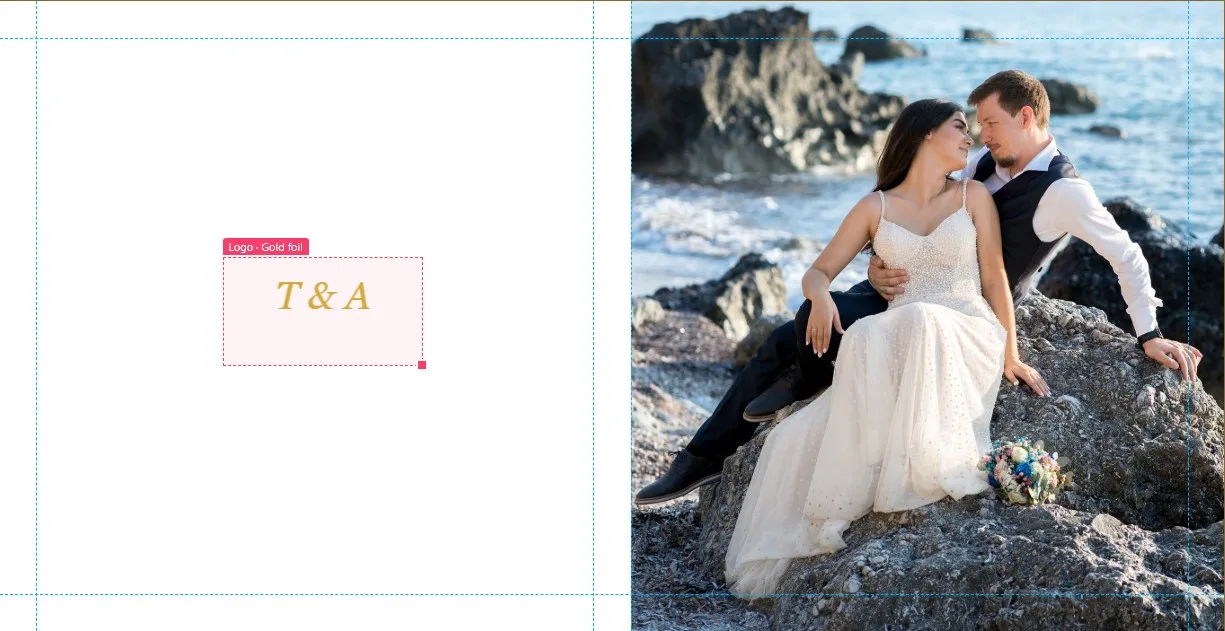
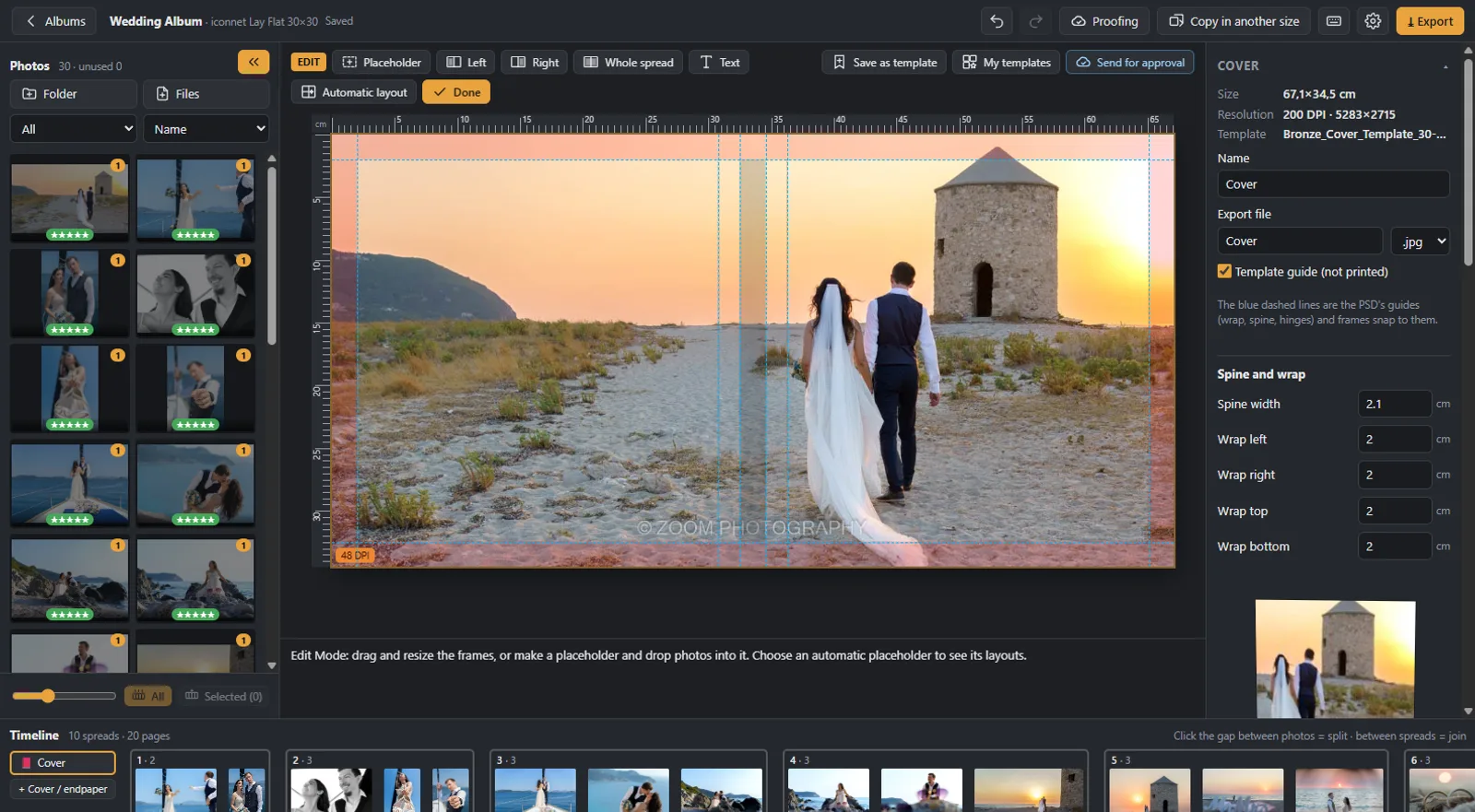
Album design software for Windows: a wedding album cover designed in the app

Auto layout on the timeline

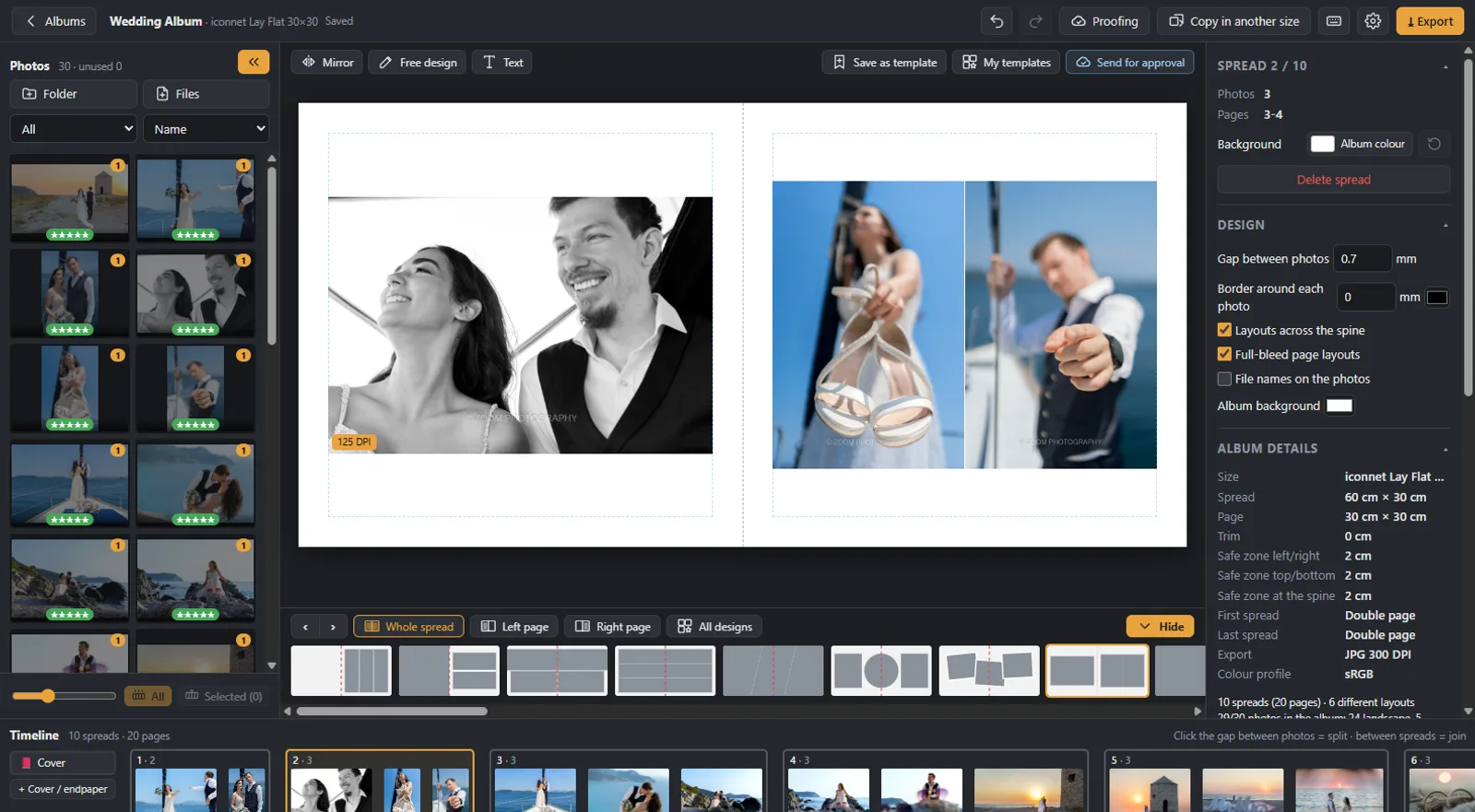
Drop the photos on the timeline and they are laid out on spreads at once, with layouts for every photo count. Click between two photos to cut a spread, click between two spreads to join them, drag a number to change the order. Dozens of layouts for each count, full-bleed and across the spine if you want them, and the layouts you choose most come first next time.

Auto album design on the timeline of the album design software

Covers and endpapers from your lab’s templates

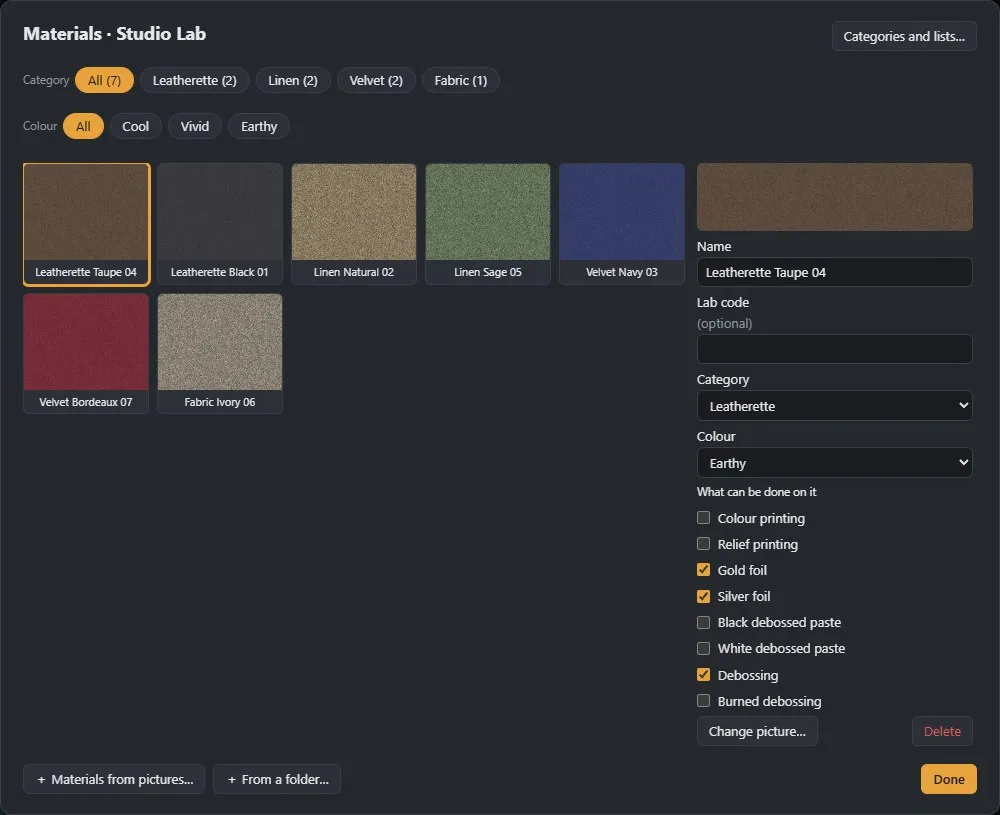
Load your lab’s PSD templates for covers and endpapers: the app reads the spine, the wraps and the panels from them, so text and photos sit where the lab expects. Pick the material, see the cover as a real 3D book, and add gold foil or other print zones, each exported as its own file.

Cover materials and print zones in the album design software

Free design when you need it

Auto layout covers most spreads. For the rest, Edit Mode lets you move and resize frames with alignment guides, add text in any font, borders, opacity, soft fades, backgrounds and your own templates. A spread you designed by hand stays as it is until you ask for auto layout again.

Free design of a wedding album spread with text in the album design software

Your Lightroom ratings, already in the album

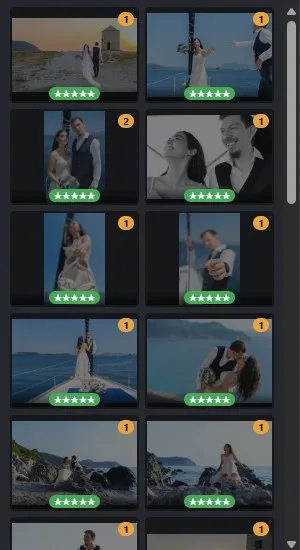
Star ratings and colour labels come with the photos, and picks are read from your Lightroom Classic catalog; nothing is written back. Rate and filter right in the app with the same keys as Lightroom: 0 to 5 for stars, 6 to 9 for colours, P and X for picks and rejects.

Lightroom Classic star ratings and colour labels in the album design software

Print-ready, first time

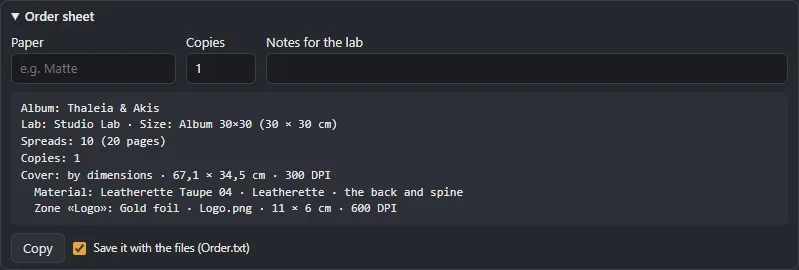
Before export the app checks every spread: the spread count against your lab’s limits, empty spreads, missing photos and photos enlarged below the resolution you set. Then it exports JPG, TIFF, PNG, PDF or PSD at your lab’s size, with the colour profile you choose, and writes the order sheet for you.

Order sheet written by the album design software for the lab

Photoshop, and back

Press Ctrl+E on any photo and it opens in Photoshop. Save it there and the album updates on its own within a second or two; if you cropped, the layout adjusts.

Your client chose somewhere else?

If your client picked the photos in another gallery, in Lightroom or in any other program, paste the list of file names when you create the album. The app finds the files in your folder and builds the album from them.

Copies in other sizes

Parent albums in one click: choose the lab and the new size, pick the cover and endpaper templates for it, and a new album is created next to the original with the same spreads, adapted to the new size. The original does not change.

Your labs, your sizes

Add the labs you print with and their sizes once: spread width and height, safe zones, trim, and whether the album starts or ends with a single page. Every next album starts with the right size and the right templates.

Step by step

How album design works

  1. 1

    New album

    Choose your lab and size, or one of your own.

  2. 2

    Add the photos

    A folder, your client’s collection from the gallery, or a list of file names.

  3. 3

    Design

    Auto layout on the timeline, adjust any spread, design the cover.

  4. 4

    Approve and print

    Send it for online approval, then export print-ready files for your lab.

From our weddings

Tips for designing an album faster

Album design software: watch the short video about the cover and the 3D book

See it in 20 seconds

Design the cover, see the real book: the short video on our YouTube channel.

▶ Watch on YouTube
Questions

Album design software: frequently asked questions

Does it run on Mac?

Digital Album Studio runs on Windows; a Mac version is planned. Your clients need nothing: proofing and galleries open in any browser.

Does it work with my lab?

Yes. Add your lab’s sizes, safe zones and PSD templates once, and the app exports to its specifications.

Can it design the album automatically?

Yes. The photos are laid out on spreads automatically as you add them, with layouts for every photo count, and you change any spread by hand.

Can I use my lab’s PSD templates?

Yes. Load the cover and endpaper templates; the app reads the spine, the wraps and the panels from them.

Does it read my Lightroom ratings?

Yes. Star ratings and colour labels from the files, and picks from your Lightroom Classic catalog. Nothing is written back.

Which file formats for print?

JPG, TIFF, PNG, PDF or PSD, at your lab’s size and resolution, with the colour profile you choose.

Is it free?

Founding members use Digital Album Studio free until the public launch in January 2027, then with 40% off the first year and 30% for as long as they stay.

Your next album, from photos to print-ready files.

Founding members use Digital Album Studio free until the January 2027 launch.

No time to design? We design it for you