Digital Album Studio › Album proofing

Album proofing

Online album proofing for photographers:
your clients approve on any phone

Album proofing is how your client checks the album before it goes to print. With Digital Album Studio you send one link: your client pages through the wedding album like a real book on any phone, tablet or computer, pins comments on the photos and approves with one tap. No app, no login, no PDFs.
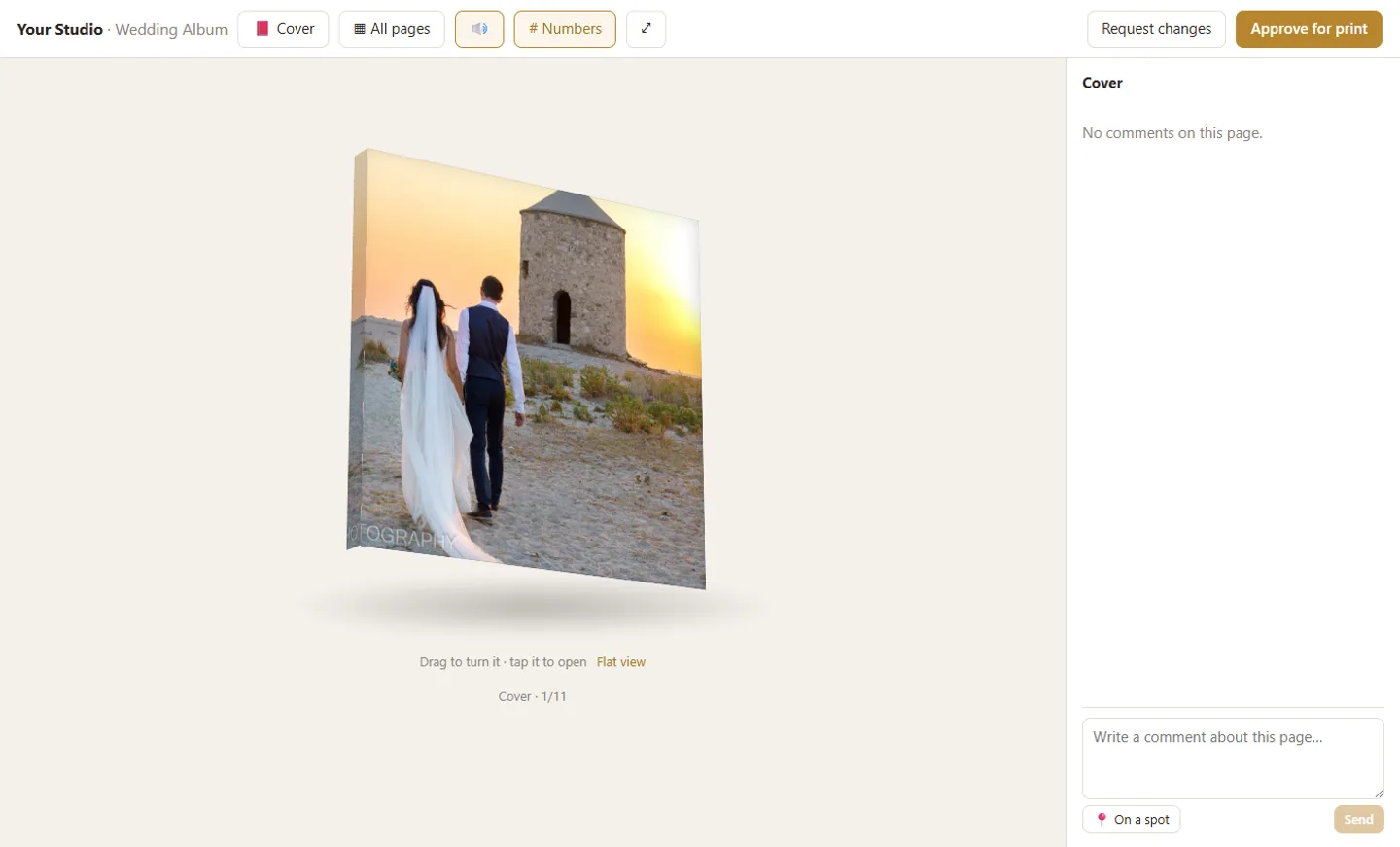
Online album proofing: the wedding album as a closed 3D book with its real cover

How your client sees the album

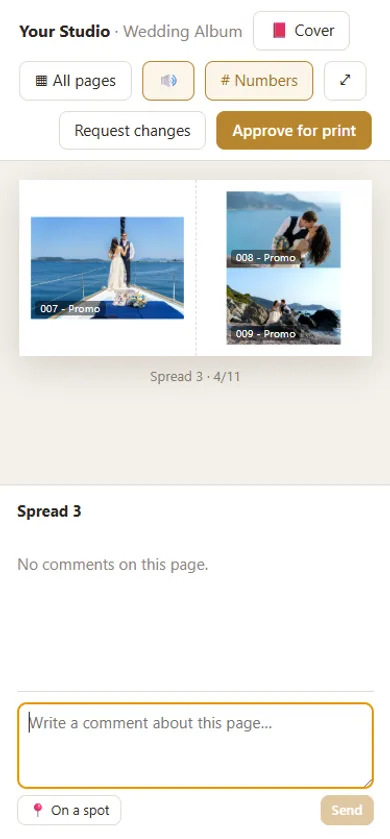
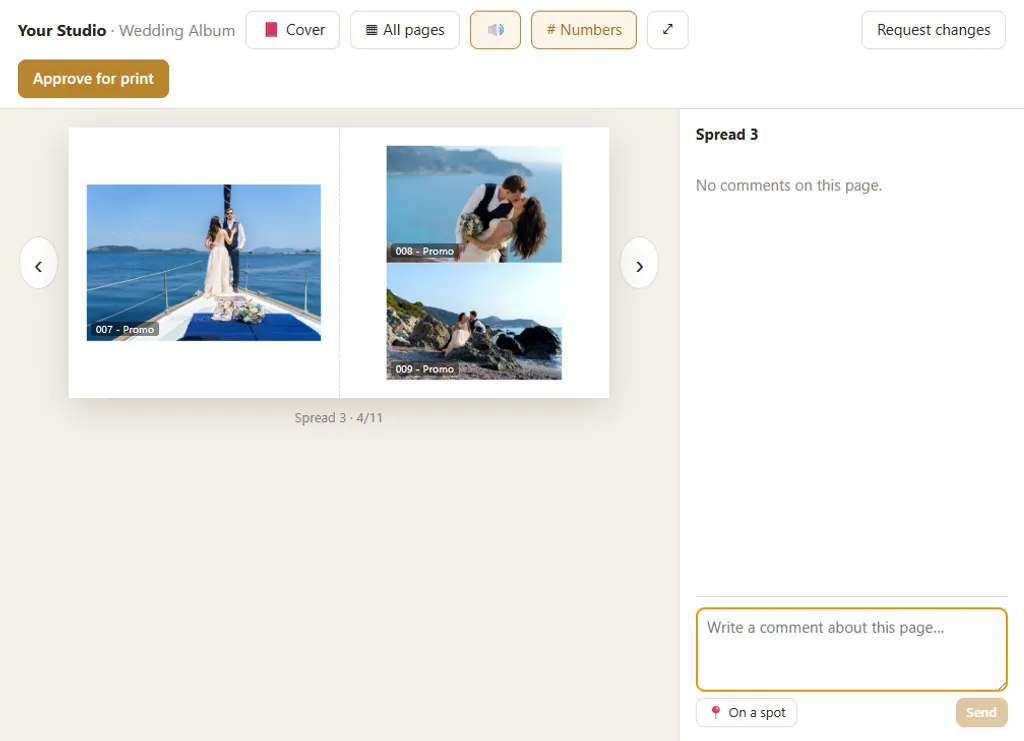
The album opens closed, as a 3D book with its real cover: the material, the photo or panel on the front, the spine. One tap opens it and the pages turn like paper, with sound. On a phone held upright your client sees one page at a time, large enough to judge every photo; turned sideways, the full spread. On a tablet or computer it is the whole book. “All pages” shows every spread at a glance, and a page number takes them straight there.

Album proofing on a tablet: the client pages through the wedding album like a real book

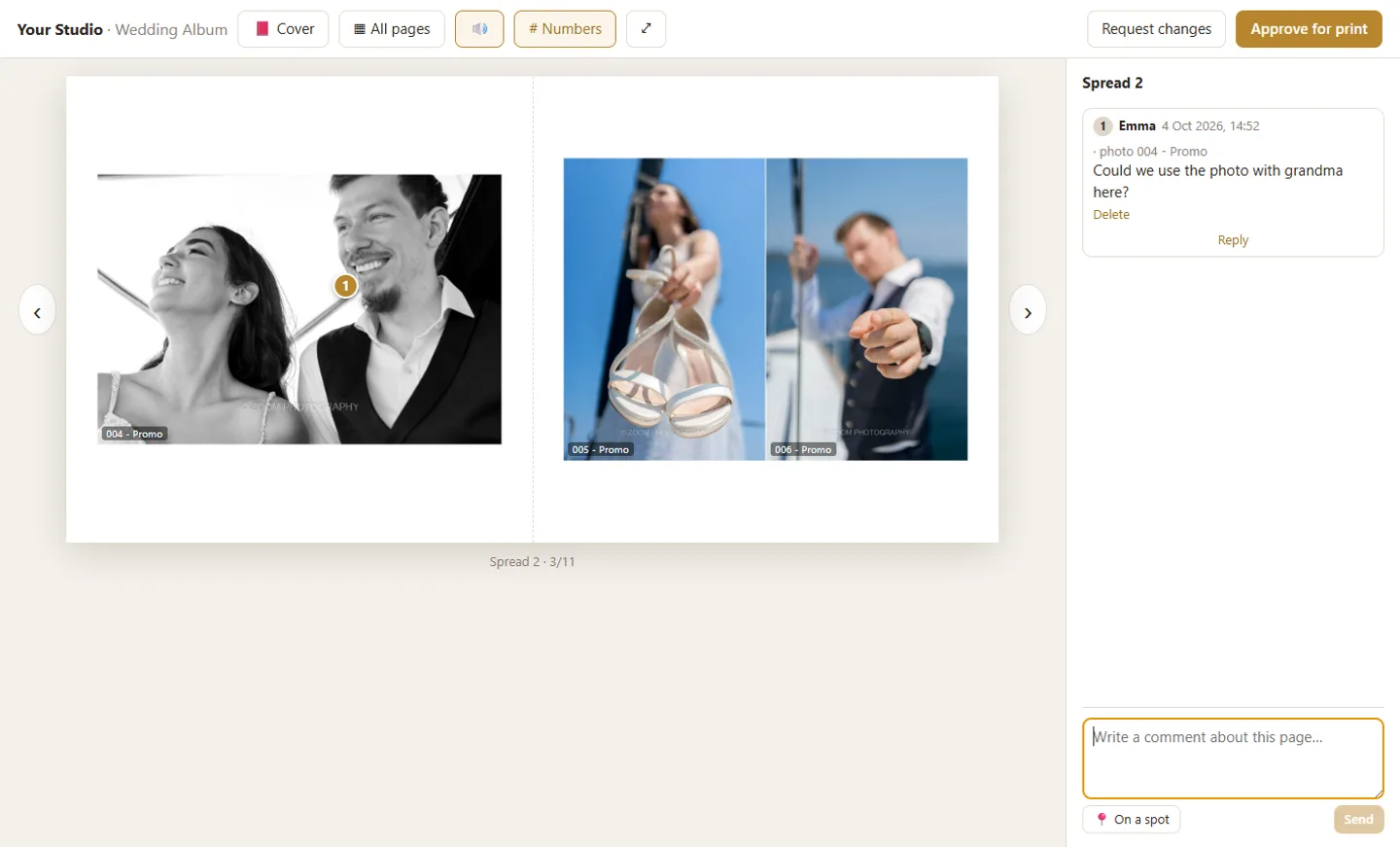
Comments on the photo or the page

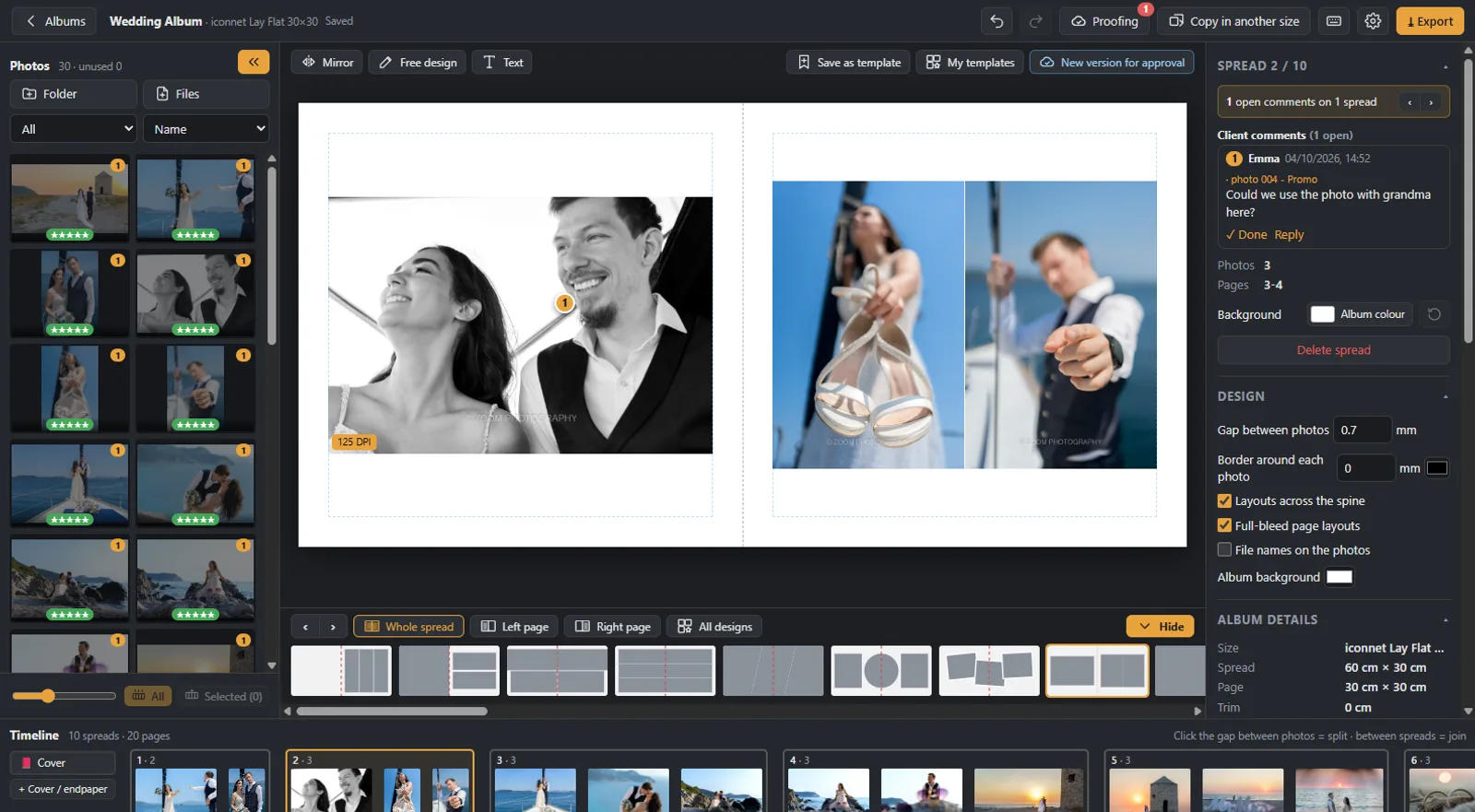
Your client taps the exact spot they mean and writes a comment: “a colour photo here”, “can we swap these two?”. A comment can belong to one photo or to the whole page. In the app you see each comment next to the photo it is about, numbered, with the client’s name, the time and the version, and you mark it done when it is fixed. No more guessing which “the third photo on page 12” they meant.

Client comment pinned on a photo of the wedding album

Versions on the same link

Made the changes? Press Upload and the new version appears on the same link, so your client never has to look for a new email. They always see only the latest version; you keep every earlier one, can preview it as it was and bring the album back to it if needed. The comments and the history stay with the album.

The client’s comments and the album versions in the album design software

Approval in one tap, and notifications

When the album is right, your client presses “Approve for print”; if not, “Request changes”, with a note. You get an email with a summary of the comments per spread, and the app shows the status of every album at a glance: waiting for the client, changes requested, approved. You also see who opened the album and when, so you know whether it has been seen before you chase anyone.

Album approval on a phone with one tap

From the gallery to the approved album

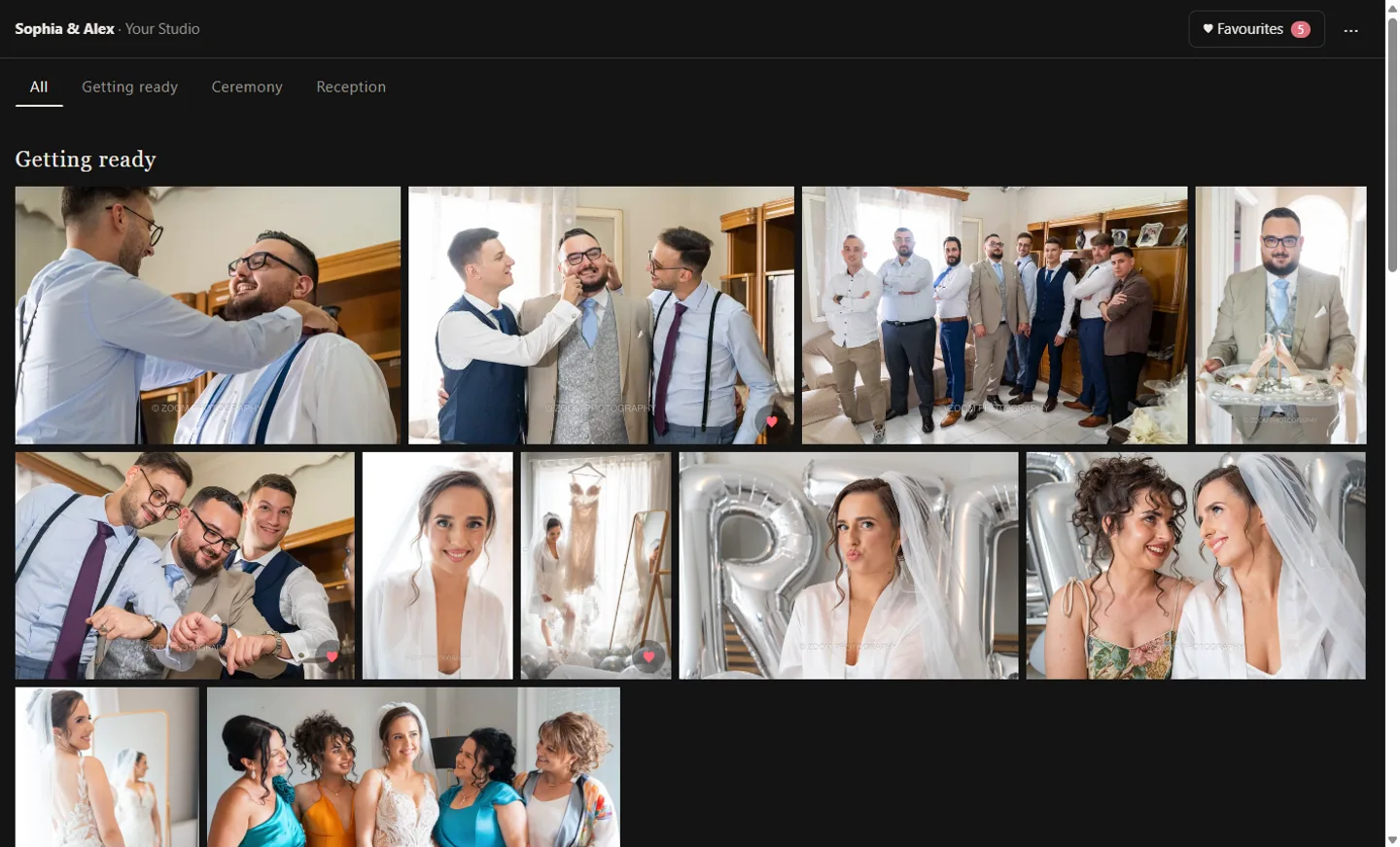
Proofing is one step of a single workflow. You deliver the photos in a client gallery, your client picks their favourites, that collection becomes a new album in one click, you design it, your client approves it online, and you export print-ready files to your lab’s specifications. Everything happens in one app, so nothing is copied by hand between services.

Client gallery in sections, where the couple picks the photos for the album

No more emails and PDFs back and forth

The usual way is a PDF or a folder of JPGs by email, and a reply like “page 7, the second one, lighter?”. Comments get lost between messages, the couple looks at an old file, and you retype every change into a list. With online album proofing every comment sits on the photo it is about, every version is on the same link, and the approval is recorded with a name and a time.

Private and safe

Every album has its own private link, and you can add a PIN. If you create a new link or PIN, the old one stops working at once. Your original photos stay on your computer: only viewing copies go online, on servers in the European Union. Search engines never see your clients’ albums.

In your client’s language

The proofing page opens in your client’s language: English, Greek, German, Italian, French or Spanish. Short instructions appear under the album the first time, so even a client who has never seen an online album knows what to do.

Step by step

How album proofing works

  1. 1

    Upload

    Press Upload in the app. The whole album goes online as version 1, with an optional PIN.

  2. 2

    Send the link

    Copy the link and send it to your client by email, message or chat.

  3. 3

    Your client comments

    They page through the album and pin comments on the photos. You see them in the app and get an email.

  4. 4

    Approval

    You upload the changes as a new version on the same link, until your client presses “Approve for print”.

From our weddings

Tips for a faster album approval

Album proofing on a phone: watch the short video

See it in 20 seconds

Your clients review the album on any phone: the short video on our YouTube channel.

▶ Watch on YouTube
Questions

Album proofing: frequently asked questions

What is album proofing?

Album proofing is the step where your client reviews the designed album, asks for changes and approves it before printing. Online proofing does this on a link instead of by email or in person.

How do clients approve a wedding album online?

You send them a link. They page through the album, leave comments on the photos if they want changes, and press “Approve for print” when it is right.

Do clients need an account or an app?

No. The album opens in the browser of any phone, tablet or computer. You can add a PIN if you want.

Can they comment on a specific photo?

Yes. They tap the photo and the comment stays pinned to it; they can also comment on a whole page.

How many revision rounds?

As many as you need. Each new version goes up on the same link and your client always sees the latest.

Can I use it if I design in another program?

Proofing works with albums designed in Digital Album Studio. If you prefer not to design at all, our album design service designs the album and sends it to your client for approval under your studio’s name.

Send your next album for approval with one link.

Founding members use Digital Album Studio free until the January 2027 launch.

No time to design? We design it for you