Digital Album Studio › Client galleries

Client galleries

Client gallery for photographers:
clients pick the photos for their album

A client gallery is where your clients see all the photos of their day and choose their favourites. With Digital Album Studio the gallery and the album live in one app: your clients pick on any phone or computer, and the collection they made becomes a new album in one click, in full resolution, ready to design.
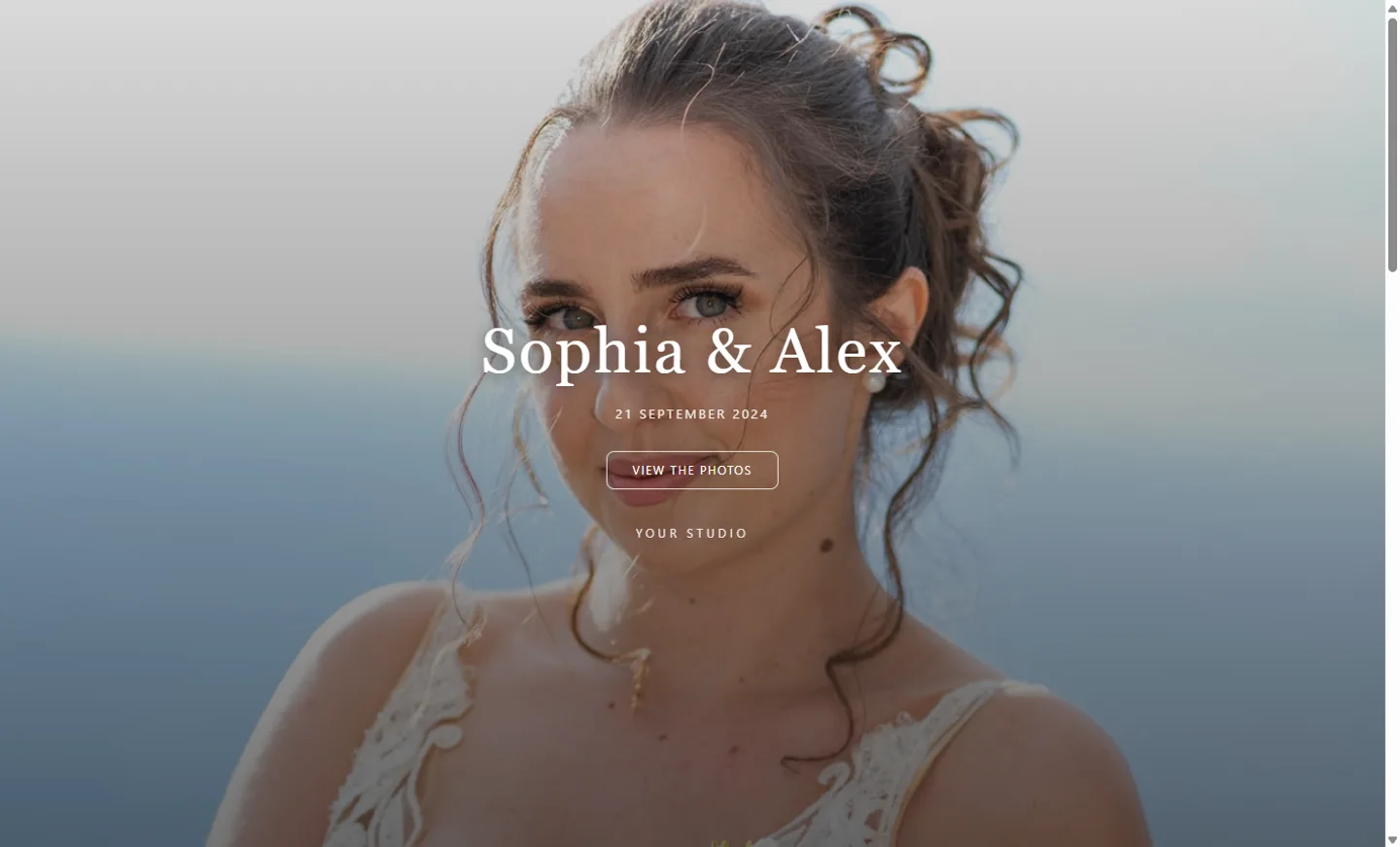
Client gallery for photographers: the cover of a wedding gallery with the studio’s name

Sections, the way you shoot

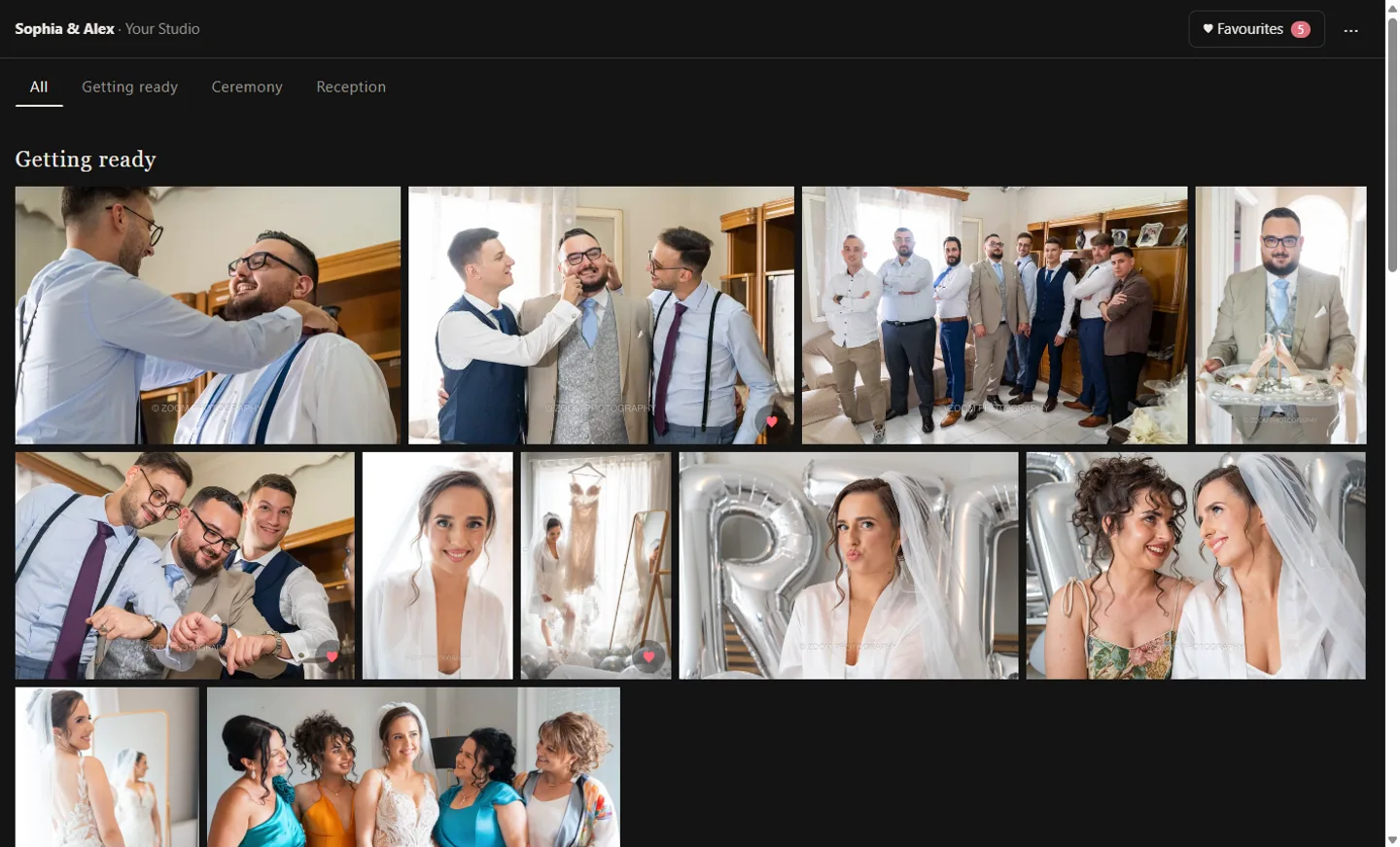
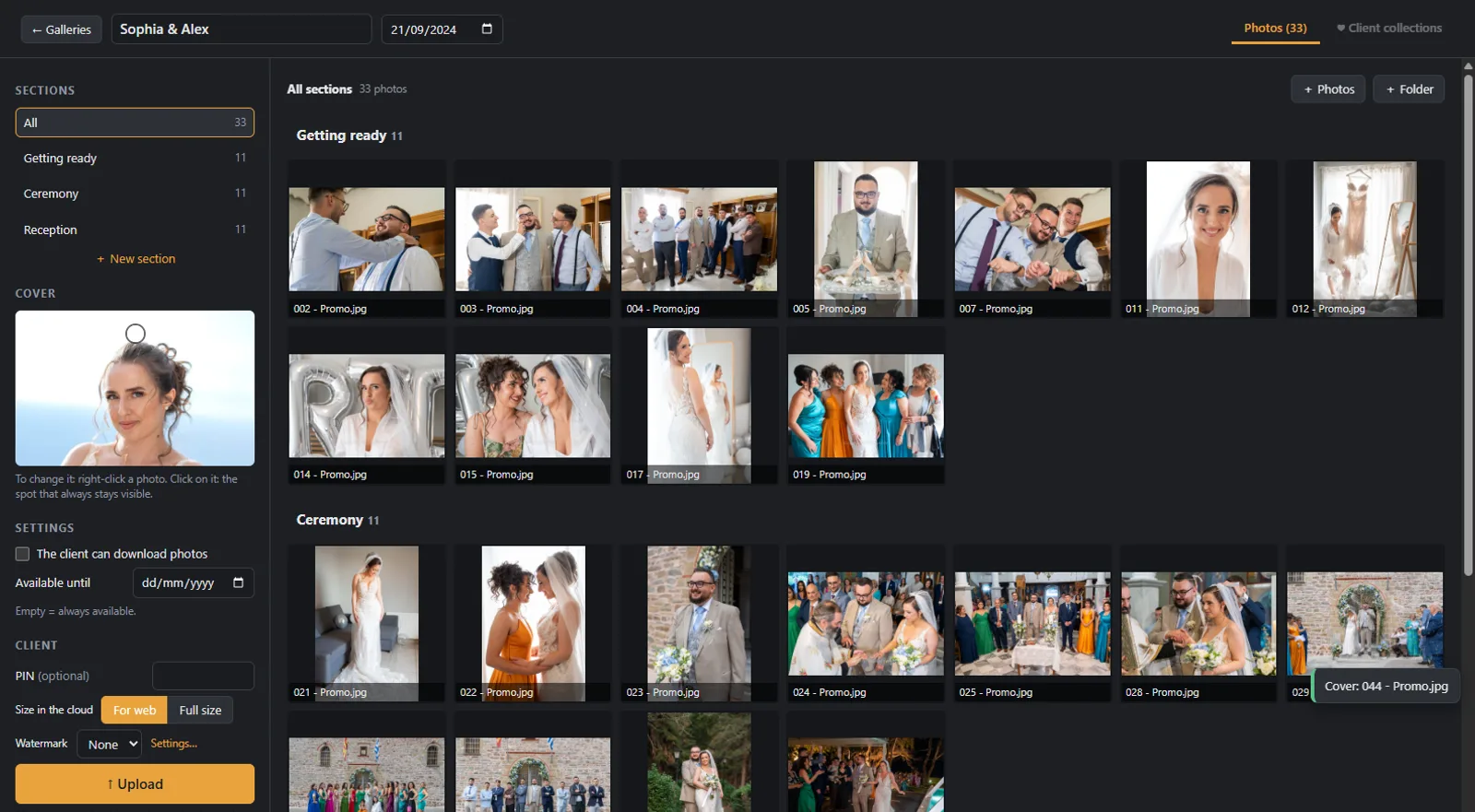
Drag in a folder: its subfolders become sections, such as Getting ready, Ceremony and Reception, with their own titles. Upload in any size, even full resolution; the app makes light copies for the web (1920 px, sRGB), so the gallery opens fast on phones. Reorder, rename or move photos between sections, and the changes reach your client at once.

Client gallery in sections, edited in the app

Favourites in as many collections as they like

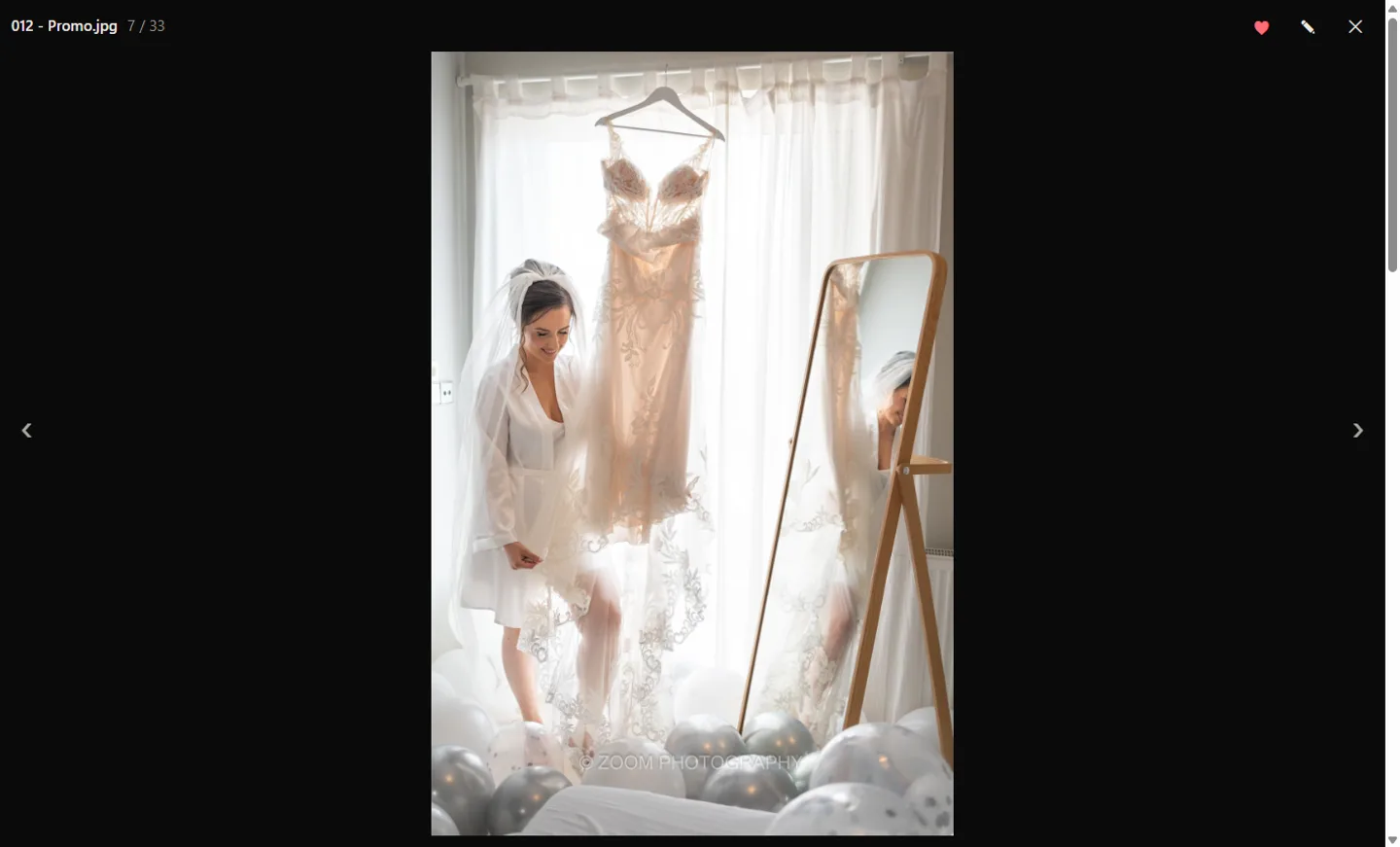
Your client taps ♥ on the photos they love. One collection is enough for most couples, but they can make as many as they need: “for the album”, “for prints”, “for grandma”. The same photo can be in more than one, and a small pencil leaves you a note on any photo, such as “black and white”.

Client gallery: the client marks a favourite and leaves a note on a wedding photo

Choosing together at your studio

Some couples prefer to choose with you. Open the gallery in the app, start a new collection with their name and pick together on big thumbnails, or continue a collection they started at home. No accounts, no passwords, nothing to install.

A client gallery where the photos are picked together with the couple

From the collection to the album in one click

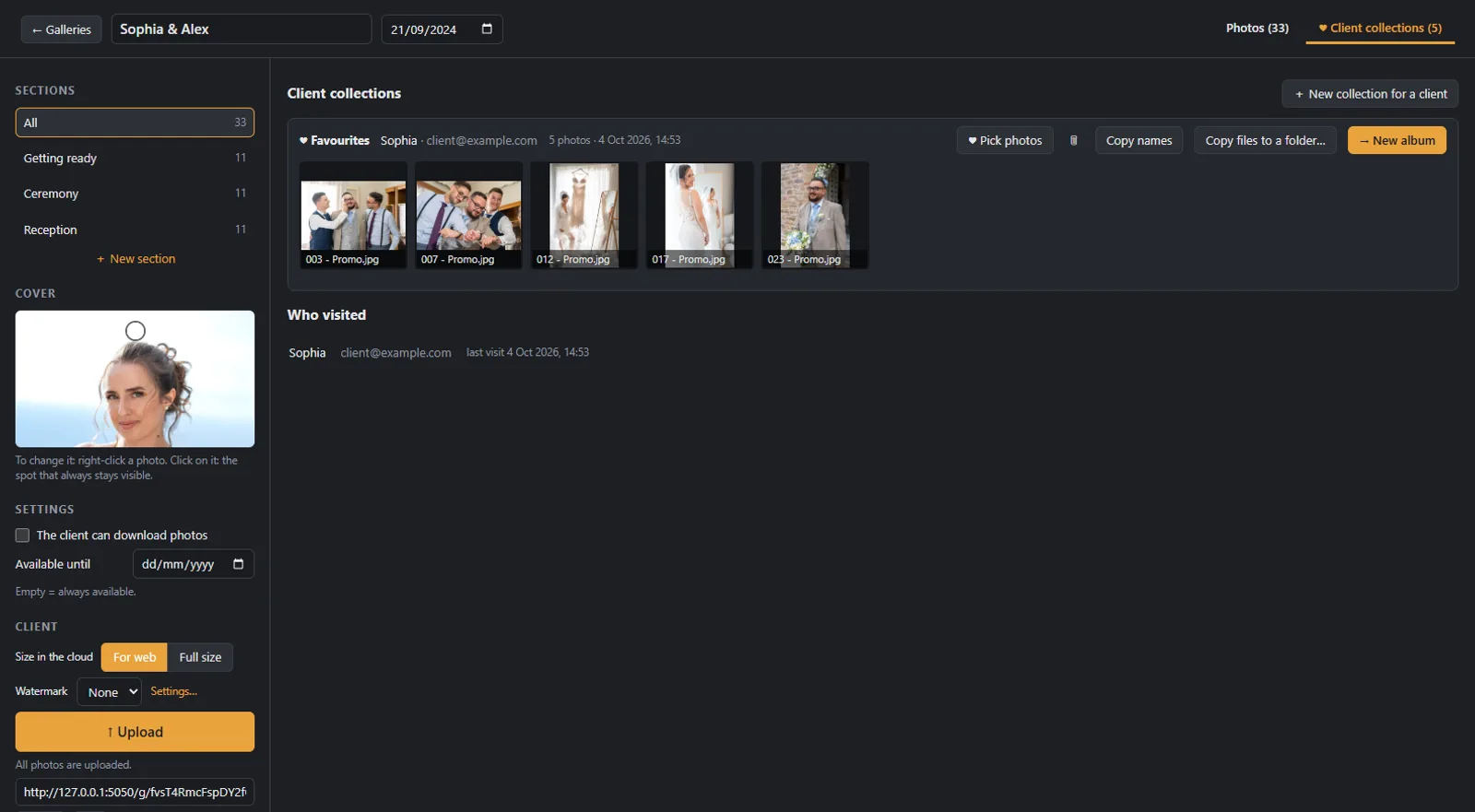
When the collection is ready, press “New album”. The full resolution files are copied to the album folder and a new album opens with them, ready to design. No lists of file numbers, no searching folders: the photos your client chose are the photos in the album.

The client’s collections in the app, with one click to a new album

Your name, your logo, your watermark

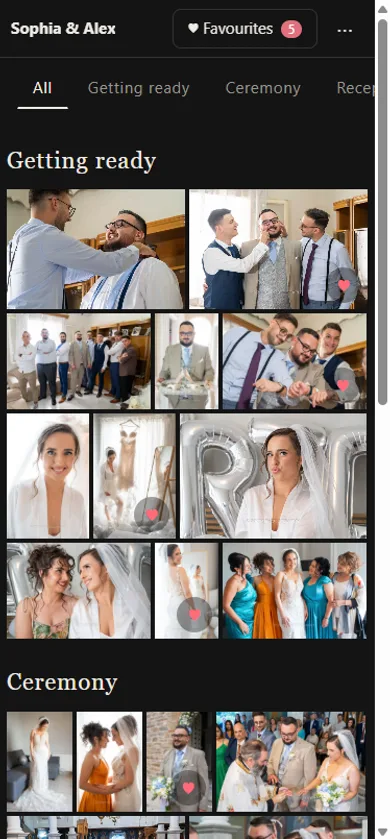
The gallery opens with a full screen cover, the title, the date and your studio’s name. Add a watermark with your text or your logo. When you send the link by Viber, WhatsApp, Messenger or email, the preview shows the cover photo and your studio’s name.

Client gallery on a phone with the studio’s name

A folder for prints

Your client made a collection for prints? Copy its full resolution files to any folder with one click, and send them to your lab. You can also copy the list of file names, one per line.

Downloads and expiry, on your terms

Downloads are off until you allow them, and you can change it at any time, even after the gallery is online. When they are on, your client downloads one photo, a section, a collection or everything in one zip. Set an “Available until” date and choose when your clients get a reminder email: 3, 7, 14 or 30 days before.

Private by default

Every gallery has its own private link, with an optional PIN. Your clients enter with their name and email, with no password, and each visitor sees only their own collections; you see them all. Your originals stay on your computer, the web copies are on servers in the European Union, and search engines never see your galleries.

Step by step

How the client gallery works

  1. 1

    Create the gallery

    Drag in the photos or a whole folder. Subfolders become sections.

  2. 2

    Upload and send the link

    Press Upload, add a PIN if you want, and send the link to your client.

  3. 3

    Your client picks

    They mark favourites in one or more collections. You get an email with a summary of what changed.

  4. 4

    The album, in one click

    Press “New album” on the collection and start designing with the photos they chose.

From our weddings

Tips for a faster photo selection

Client gallery: watch the short video about favourites and the album in one click

See it in 20 seconds

Clients pick favourites, you get an album in one click: the short video on our YouTube channel.

▶ Watch on YouTube
Questions

Client galleries: frequently asked questions

How many photos can a client pick?

As many as they like, in as many collections as they like. The gallery shows how many are in each collection, so it helps to tell the couple how many photos the album holds.

Can parents make their own list?

Yes. Everyone who enters with their own name and email has their own collections. You see them all, separately.

Do clients need to register?

No. They enter with their name and email, and the PIN if you set one. There is no password and nothing to install.

Can I add a watermark?

Yes. Add a text or your logo as a watermark in the app’s settings.

Can clients download the photos?

Only if you allow it. Downloads are off by default; when you turn them on, your client downloads one photo, a section, a collection or everything in one zip.

Is it free?

Founding members use Digital Album Studio free until the public launch in January 2027, then with 40% off the first year and 30% for as long as they stay.

Your next gallery, straight into the album.

Founding members use Digital Album Studio free until the January 2027 launch.

No time to design? We design it for you