Your client has sent their favourites: 68 photos in a list. Now they have to become an album, and this is usually where the hours go: finding the files, building the spreads one by one, making sure nothing falls into the lab’s trim.
A wedding album is designed in eight steps: size and lab, the photos your client chose, splitting them into spreads in the order of the day, the layout of each spread, small touch-ups and text, the cover, your client’s approval, and print-ready files. The first four give you the design; the rest make it ready for the lab.
At a glance
- Size and lab come first, because the margins, the spine and the page limits depend on them.
- The album starts most easily from your client’s favourites, in full resolution.
- A first automatic split into spreads, in the order of the day, saves most of the hours; the fine-tuning comes after.
- Before printing, a check for DPI, page limits and missing photos.
| Step | What it decides | How the app helps |
|---|---|---|
| 1. Size | Lab, size, margins, spine | Sizes per lab, safe zone on screen |
| 2. Photos | Which go in, at what resolution | From your client’s list, in full resolution |
| 3. Spreads | How many, and what goes in each | Auto-Build in the order of the day |
| 4. Layouts | How each spread is built | Up to 40 suggestions, designs, your own templates |
| 5. Touch-ups | Light, colour, text | Brightness, contrast, black and white, text |
| 6. Cover | Material, spine, names | The lab’s template, spine, foil stamping |
| 7. Approval | What your client changes | A book on the phone, comments, approval |
| 8. Printing | Files without mistakes | A check before export, order sheet |
1. Size and lab, before the first photo
The size sets almost everything else: how much is trimmed, where the spine falls, whether the album starts with a single page, how many spreads the lab accepts. If it changes at the end, many spreads have to be rebuilt.
In Digital Album Studio every album starts with the lab and the size. You enter the sizes of the labs you print with once, with safe zone, trim, DPI and a single first or last page, and then pick them from a list. On the spread the safe zone shows as a blue dashed line and the trim as a red one, so no face gets lost at the edge.
2. The photos: from your client’s favourites
An album comes together faster when your client has already chosen. The hard part is the hand-over: your client’s list has the names of screen-size files, while the album needs the full-resolution files.
In the app a new album starts in three ways:
- From a client collection: the gallery favourites become an album in one click, and the full-resolution files are copied into the album folder by themselves.
- From a list of names: for a choice that came by email or message. You paste the names, with commas, spaces or one per line, and the app finds the files in your folder.
- From a folder: you drag in the folder or as many photos as you like.
How many photos fit comfortably in an album is explained in the guide How many photos in a wedding album.
3. Spreads in the order of the day
Most albums follow the day: getting ready, the ceremony, the couple’s portraits, the reception. Each spread holds one moment or one scene, and spreads with many small photos alternate with spreads of one or two, so the book has a rhythm.
The app’s Auto-Build asks how many spreads you want and splits the photos in their order. It starts a new spread where the moment changes, from the capture time, or the scene, from the light and the colours. In one test, 120 photos were split into 20 spreads in less than a second. Then you fine-tune on the timeline: a click in the gap between two photos cuts the spread, a click between two spreads joins them, and dragging changes the order. The spread counter turns orange when the number falls outside the lab’s limits.
4. The layout of each spread
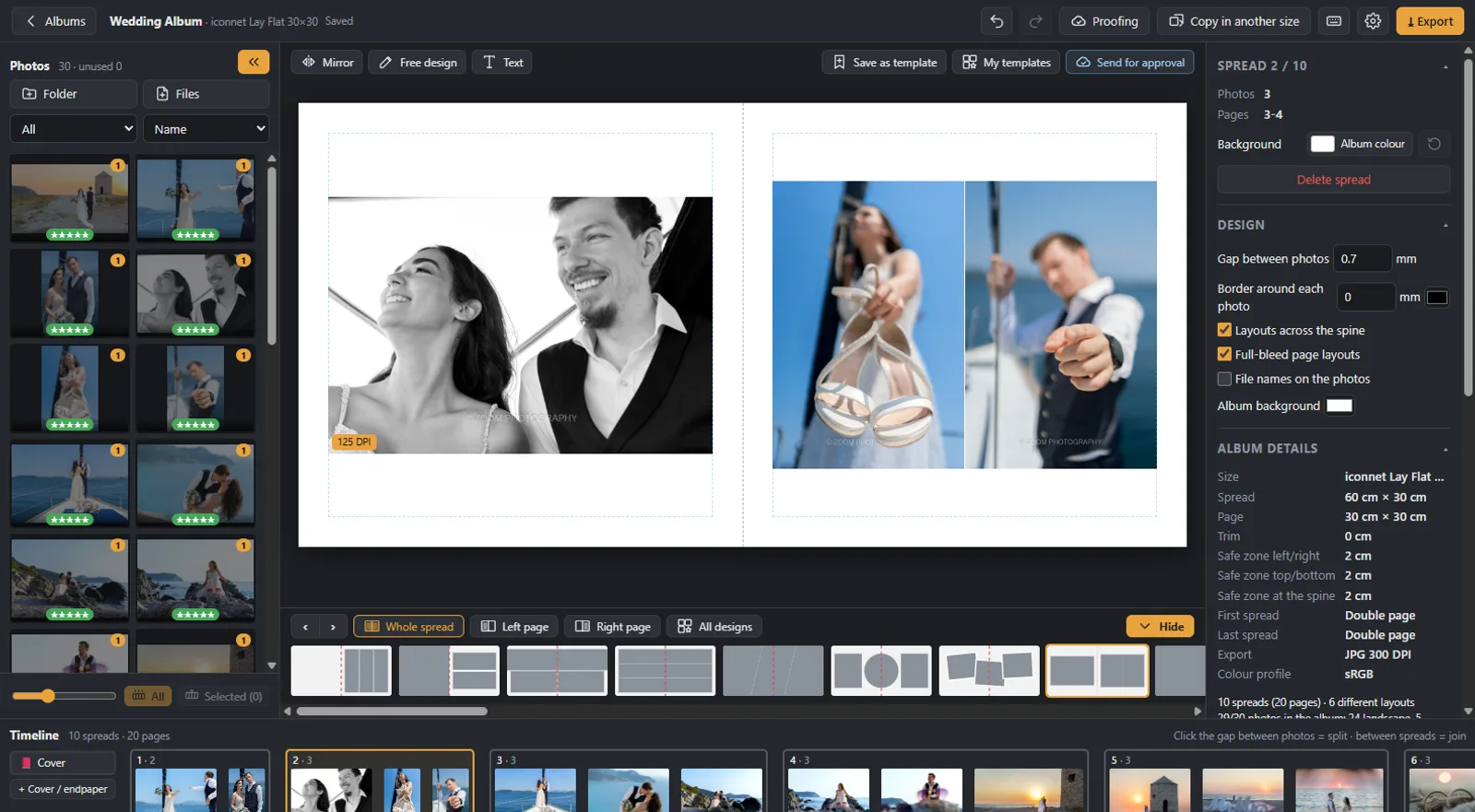
The layout depends on the photos: how many there are, how many are portrait and how many landscape, which one deserves a full page. A photo with faces over the spine gets lost in the binding.
For each spread the app suggests up to 40 layouts that fit its portrait and landscape photos, and you switch between them with the [ and ] keys. The layout can also change on the left or the right page only. There are ready-made designs (strips, panoramas, circles), you make as many layouts as you like favourites with ♥, and you keep a spread of your own as a template. For something entirely your own there is free design.
5. Small touch-ups and text
A photo often needs a little light or a black and white version to sit well next to the others on the spread. If that means a new export from your editing program, the album gets delayed.
With Space the photo opens large, with brightness, contrast, saturation and black and white. The change shows on the spread and comes out the same in the export, while the original file stays as it is. For more complex work, Ctrl+E opens the photo in Photoshop. A text, for example a line of verse or the names, goes on the spread without breaking the layout.
6. The cover
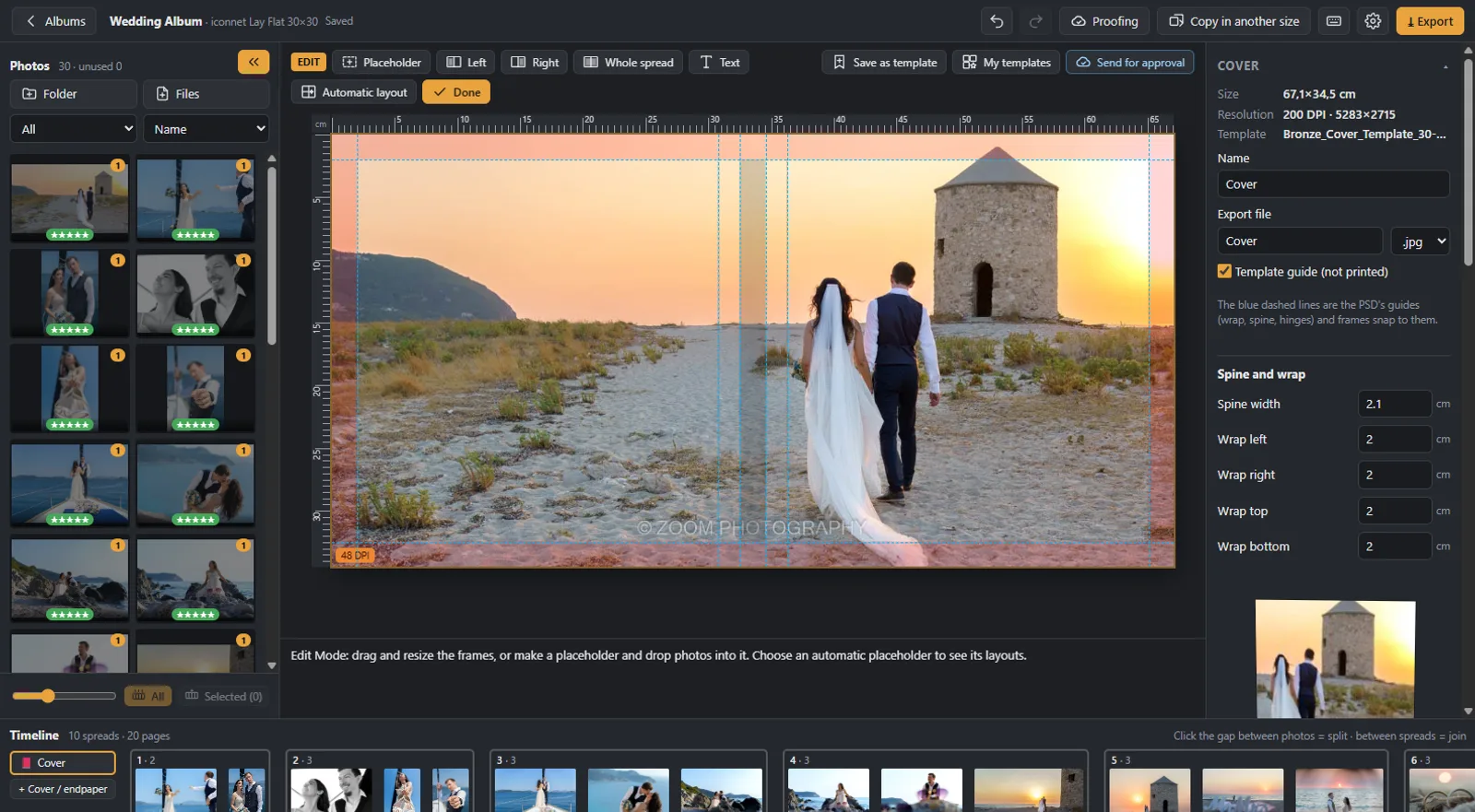
The cover has rules of its own: the lab’s template for the material and the size, the spine, and often names in foil.
In the app the cover is built on the lab’s template, with the book’s material on screen. The spine has its own text, turned the way it is on books, with a warning when it is too narrow. The names and the date go into a foil stamping zone, and your logo goes on the back in one click.
7. Your client’s approval
Your client’s changes usually come by message: “on the seventh spread, the second from the left”. The clearer they arrive, the fewer rounds you need.
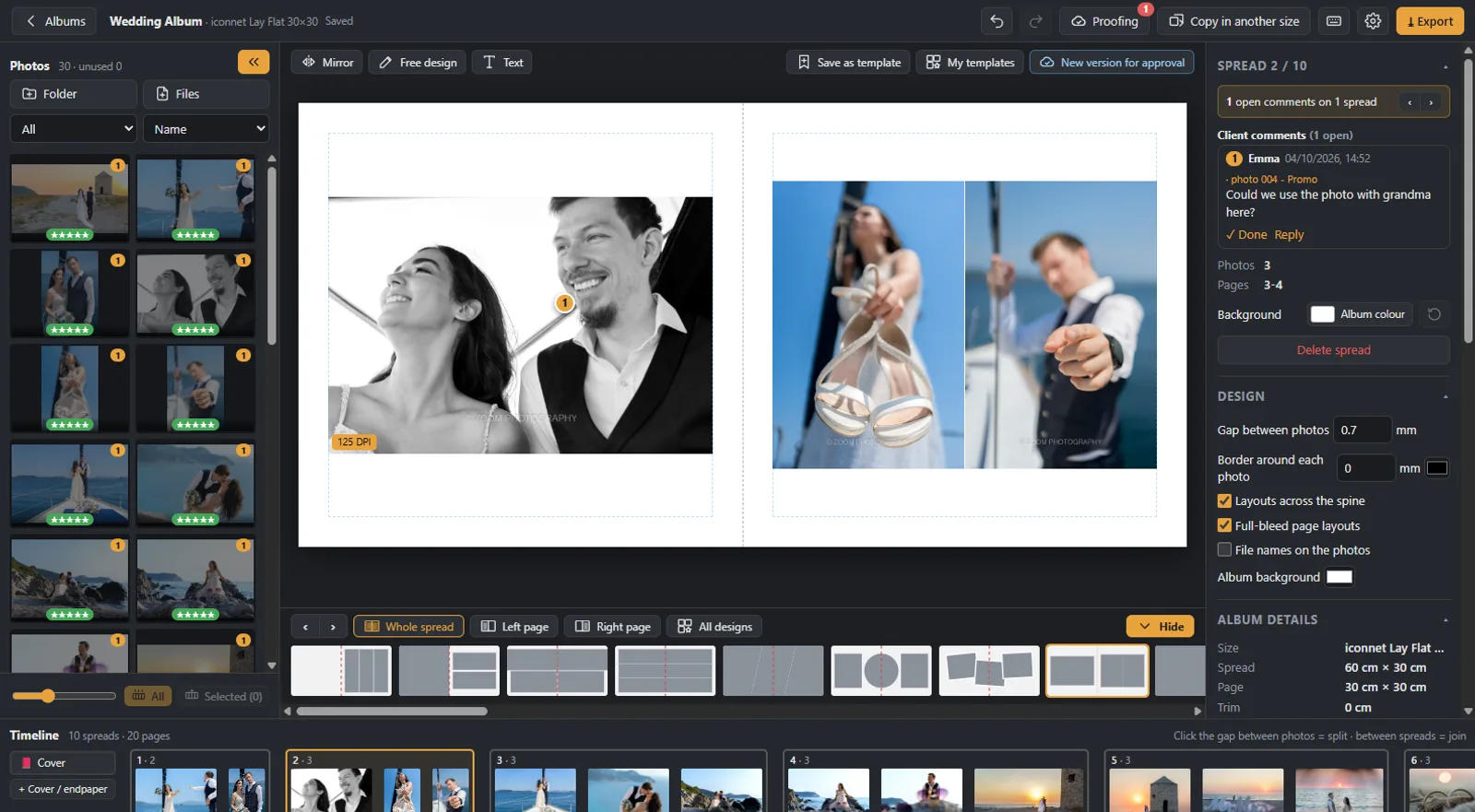
With Cloud Proofing your client pages through the album like a book on a phone, tablet or computer, writes a comment on the photo they want changed and presses “Approve” when they are ready. You see the comments on the right spread, upload a new version, and the link stays the same. More on the page Online album proofing.
8. Files for the lab
A mistake found after printing costs a whole album. The most common ones: a photo enlarged too much, an empty spread, a file that was moved.
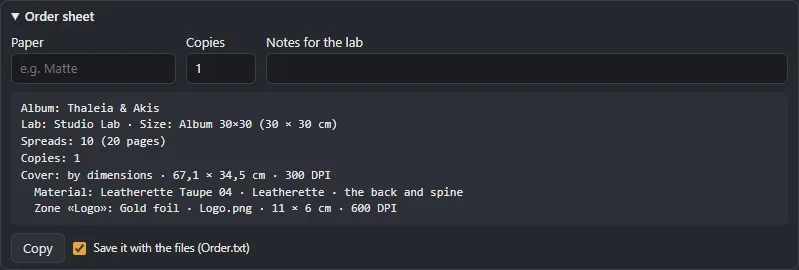
Before export the app checks the number of spreads against the lab’s limits, empty spreads, missing photos and photos that print below the lab’s DPI. For each issue, a button takes you to the right spread. The files come out at 300 DPI, as JPG, TIFF, PNG, PDF or PSD, with the colour profile you have set, together with an order sheet for the lab. If you also need albums for the parents in a smaller size, Copy in another size makes a new album with the same spreads.
Where photographers disagree
- White margin or photos to the edge: a white margin gives calm and a classic feel; photos to the edge give energy and a more modern look. Many albums combine both.
- A few large or many small: a few photos per spread let each moment breathe; many fit more moments in. The answer usually depends on how many your client chose and how many spreads the package has.
- Text in the album: some leave the photos on their own, others add names, the date or a line of verse at the start and the end.
The app doesn’t push you into one way: the margin, the gap between photos and the layouts to the edge are set for each album.
Would you like us to design the album? From your client’s favourites, under your studio’s name: from €5 a spread, and your first album is half price. Album design service
More about the program on the page Album design software.
Next step: once the album is ready, how your client approves it online.
Would you like the next guides in your inbox?
New guides for photographers and news from Digital Album Studio, by email.