The couple asks: “Will we see the album before it’s printed?” A little later the bride’s mother asks something else: “Will we have a digital album too, to show the family abroad?” Both are talking about a digital album, but they mean different things.
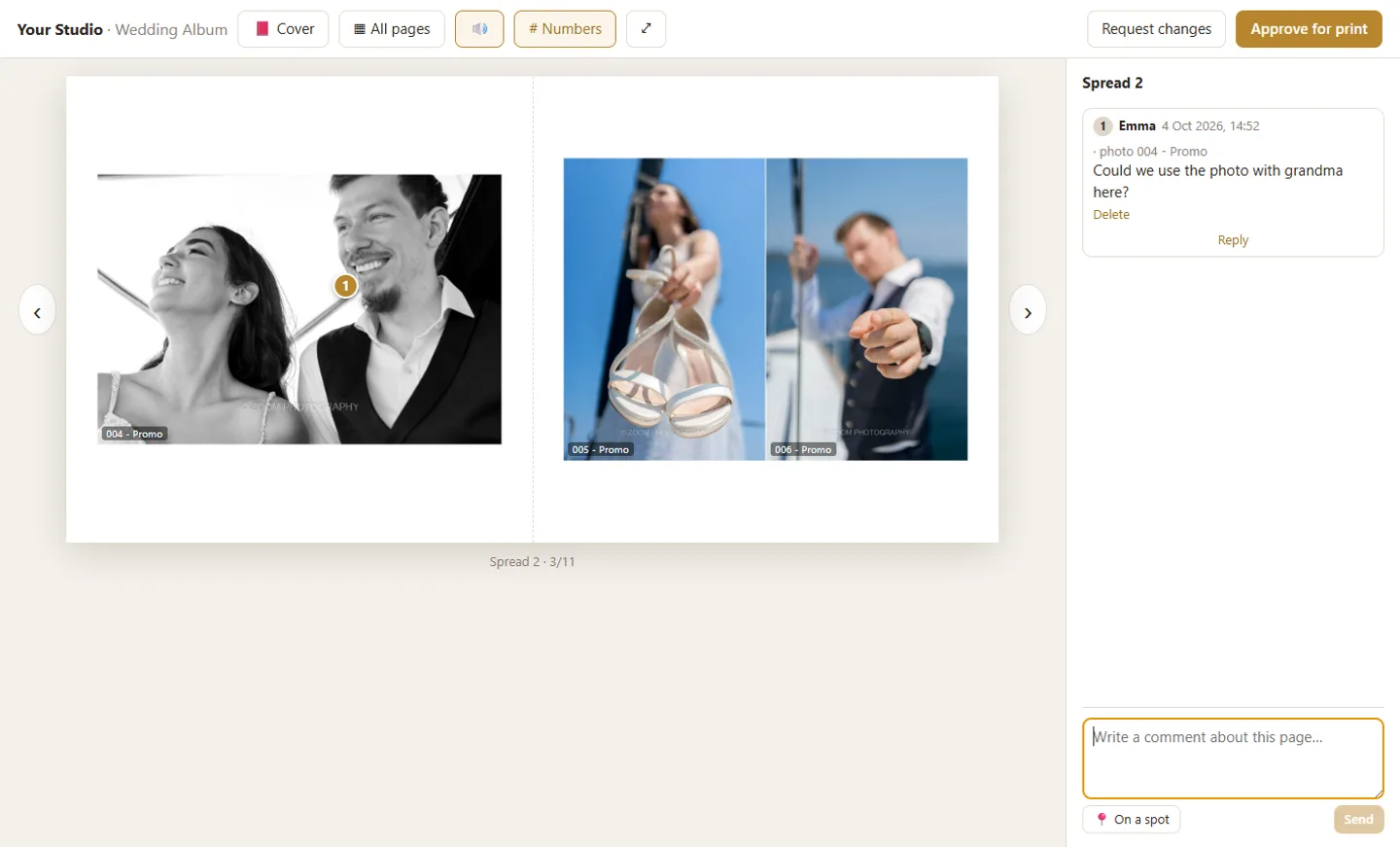
A digital wedding album is the album in a form that opens on a screen: pages you turn on a phone or a computer, before the printed album or alongside it. In many countries, “digital album” also means the printed album that is designed on a computer and printed digitally. For a photographer, the most useful form is the online preview: your client sees the album as it will be printed, comments on it and approves it.
At a glance
- “Digital album” means three different things; it helps to clear this up with your client from the start.
- The online preview shows the album as a book, before printing.
- Comments on the photo save messages like “on the seventh spread, the second one”.
- The digital album adds to the printed one; for most clients it doesn’t replace it.
Three things called a “digital album”
When a client asks for a digital album, they usually mean one of these:
| Form | What it is | When it helps |
|---|---|---|
| Online preview of the album | The designed album as a book on screen, with pages that turn | For your client to see it, comment and approve it before printing |
| Online gallery | All the wedding photos, in sections | For your client to see the photos and choose their favourites |
| Digitally printed album | The book designed on a computer and printed by the lab | The final product, the one that stays at home |
The three follow the order of the work: first the gallery, then the album preview, and finally the printed album. How the photos get to the gallery is explained in the guide How to send photos to clients without losing quality.
Digital or printed album?
For most clients, both. The digital one opens anywhere and is easy to share; the printed one is what they hold in their hands and open again in ten years.
Some photographers give the digital album only for approval, so the printed album stays the product. Others leave it with the client after printing too, for family who live far away. Both ways work; what matters is that your client knows from the start what they get.
How your client sees the digital album on a phone
Most clients will open the album on their phone, from the link you sent them on WhatsApp or by email. That is where it is decided whether they see it as a book or as a row of images.
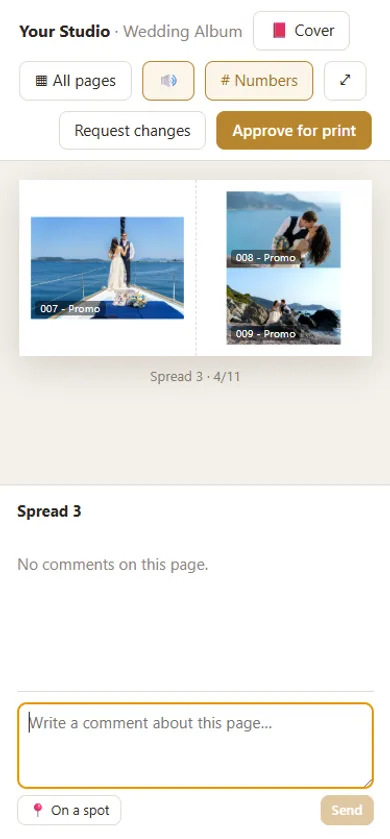
In Digital Album Studio the link shows up with the album’s closed cover. Your client types their name and email, and the PIN if there is one, without an account. The book opens closed in 3D, with the cover’s material and size, and the pages turn like the stiff pages of an album. The page fits every screen, portrait or landscape, from a phone to a TV, and “All pages” shows every spread at a glance.
Comments on the photo, and approval
Changes come through more clearly when your client points to exactly what they want. A comment on the photo says more than a description on WhatsApp.
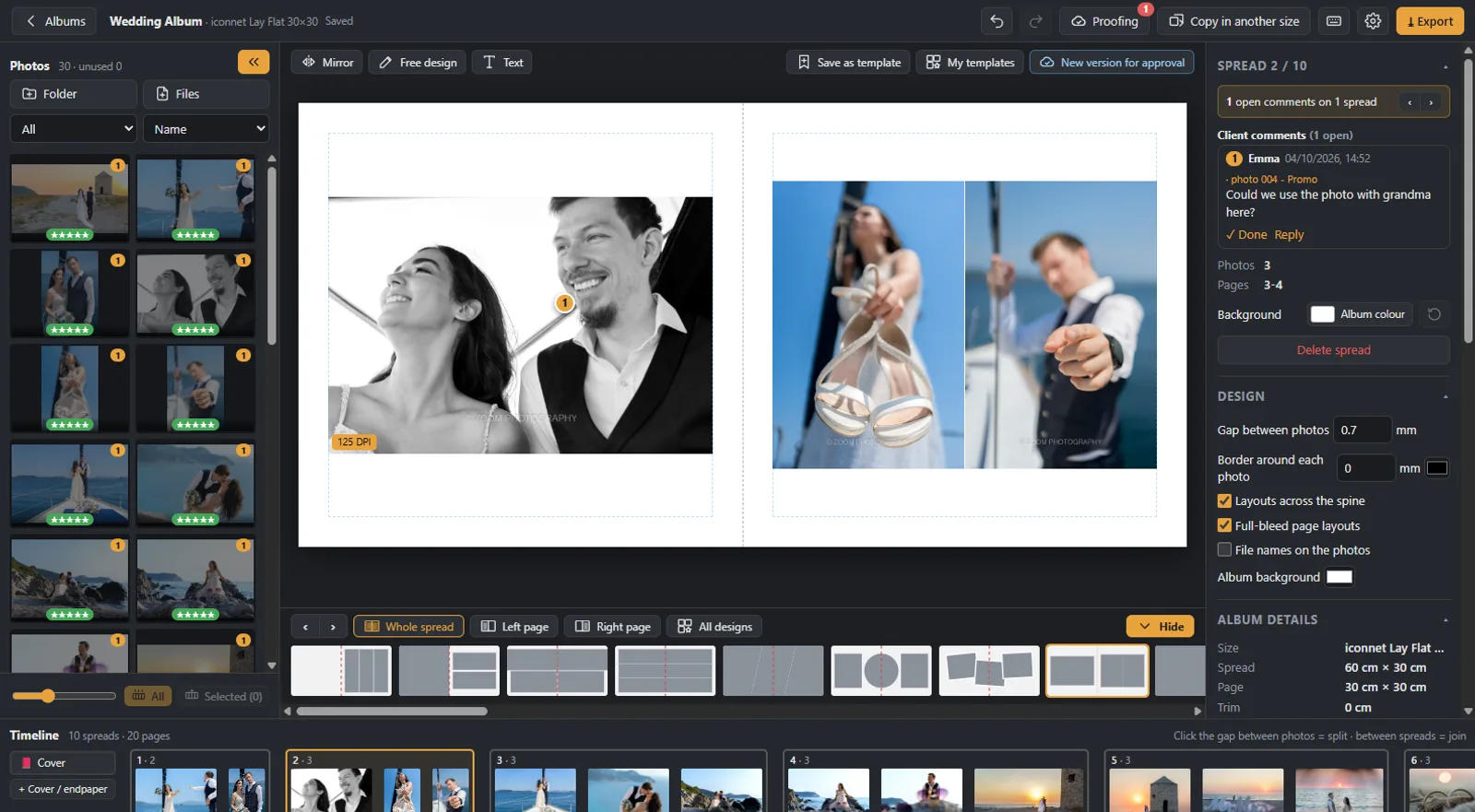
Your client writes a comment for the whole page or on a spot of a photo, and every photo shows its number. When they want changes, they press “Request changes”; when they are ready, “Approve for print”. You see the comments on the right spread, reply, and the new version goes up on the same link. Your client always sees only the latest one.
If the link reaches the mother or the maid of honour, each signs in with her own name and sees only her own comments and your replies to them. You see all the comments, and who opened the album and when.
What stays after approval
After approval, the approved album stays online on the same link, with all the comments. Older versions are deleted from the cloud 7 days later, so they don’t take up space. So, if you want, your client also has a digital copy of the album they printed.
How Digital Album Studio does it
- The album is designed in the app, from your client’s favourites. The guide How to design a wedding album shows the steps.
- With 3D preview you are the first to see the book as your client will, without uploading anything.
- With Cloud Proofing you upload it with one button and send the link, with or without a PIN.
- Comments on a spot, “Request changes” and “Approve for print”; every new version on the same link.
- After approval, files for the lab at 300 DPI.
More on the page Online album proofing.
Would you like us to design the album? From your client’s favourites, under your studio’s name: from €5 a spread, and your first album is half price. Album design service
Next step: how many photos fit in a wedding album.
Would you like the next guides in your inbox?
New guides for photographers and news from Digital Album Studio, by email.